 Kiwi Code Docs
Web Dashboard
Chat with AI from your browser while the runtime executes on your local machine.
Web Dashboard
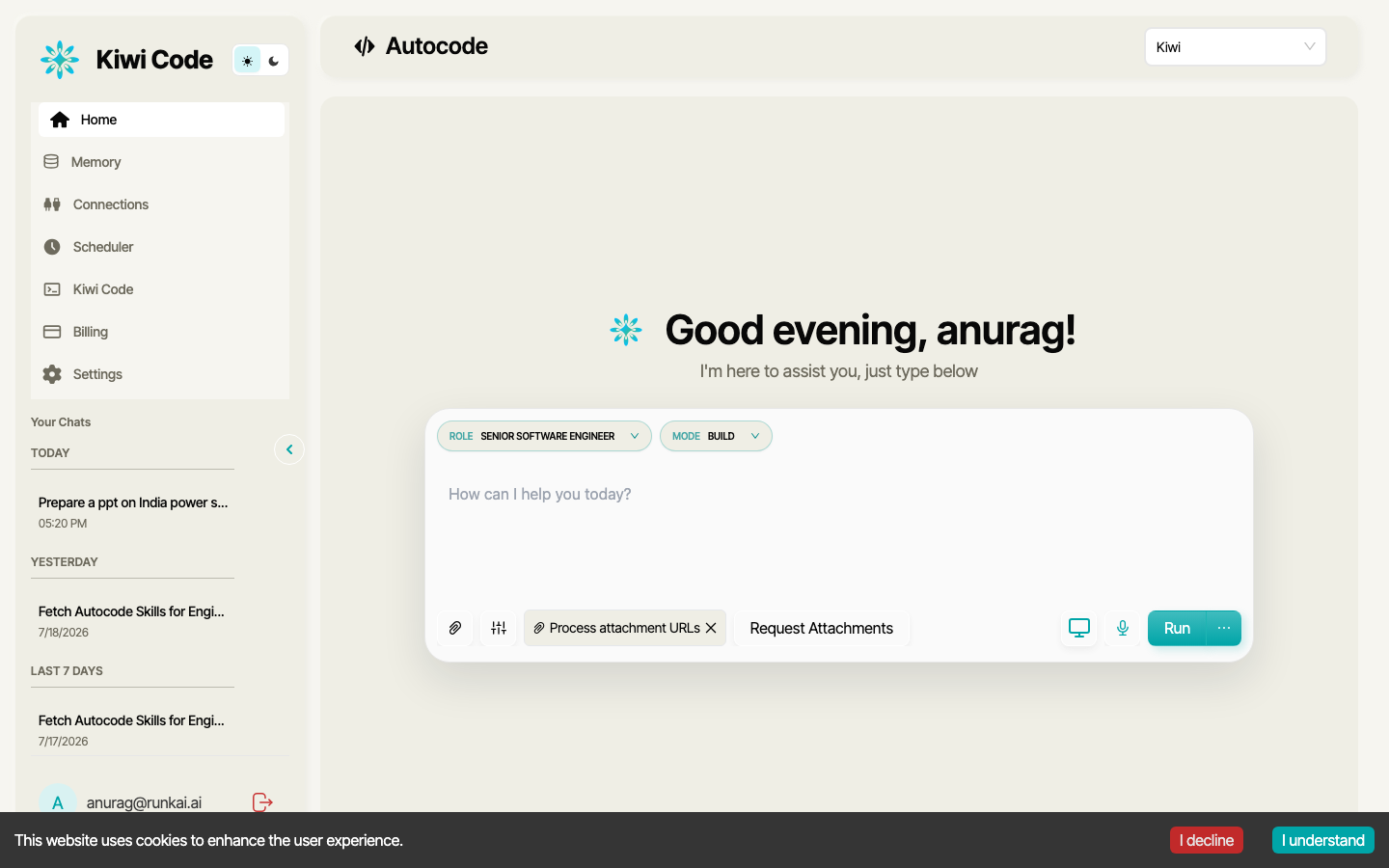
The web dashboard at kiwicode.ai lets you use Kiwi Code from your browser. Chat with AI, manage runs, connect to your local CLI runtime, and monitor agent activity — all without the terminal.
Getting Started
Start the CLI runtime
Open your terminal and connect the runtime:
kiwi-runtime connect --scope fullKeep this terminal open — it bridges the AI to your local machine.
Open the web dashboard
Go to kiwicode.ai/autocode/new in your browser.
Connect and start chatting
In the chat, ask the AI to connect to your runtime:
Connect to my CLI runtime and list the files in my current directoryThe AI detects your running runtime, binds to it, and starts executing commands on your machine.
What You Can Do
Chat with AI
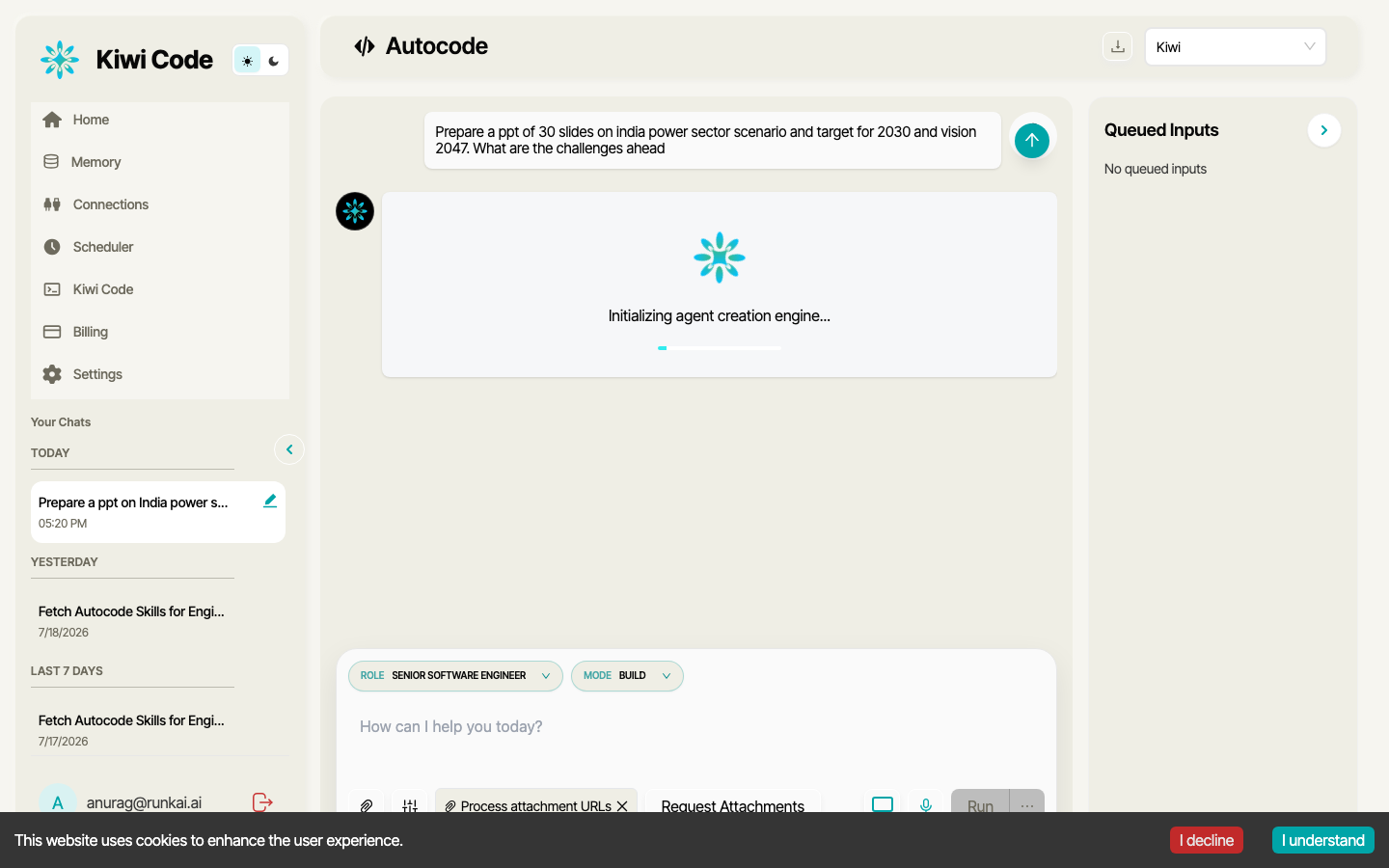
The web dashboard provides a full chat interface. Type messages, attach files, and get streaming responses — just like the TUI, but in your browser.
Connect to Your Local Machine
The web dashboard connects to a CLI runtime running on your machine. Once connected, the AI can:
- Read, write, and edit files in your project
- Run shell commands and see output
- Search through your codebase
- Run tests and fix failures
- Execute any terminal command
Manage Runs
View your conversation history, continue previous runs, and monitor active agents.
Multi-Agent Workflows
The web dashboard is the primary interface for multi-agent workflows. Trigger parallel agent execution, batch processing, and Action Graph workflows that aren't available in the TUI.
Remote Sandboxes
Launch Daytona remote sandboxes for isolated cloud execution. Run untrusted code, heavy compute tasks, or browser automation — all from the dashboard.
When to Use Web vs TUI
| Web Dashboard | TUI (kiwi) | |
|---|---|---|
| Interface | Browser | Terminal (full-screen) |
| Slash commands | Not available | Full support (/role, /mode, /rewind, etc.) |
| Checkpoints & rewind | Not available | Full support |
| Worktree mode | Not available | kiwi -w name |
| Multi-agent | Full support | Single-agent only |
| Remote sandboxes | Full support | Local runtime only |
| File attachments | Drag & drop | @ or /upload |
| Access from anywhere | Any browser | Requires terminal access |
| Themes | Default | Customizable (/theme) |
Use both together
The TUI is best for interactive single-agent coding with checkpoints, rewind, and worktrees. The web dashboard is best for multi-agent workflows, remote sandboxes, and when you want browser-based access.
Stopping
Press Ctrl+C in the terminal where kiwi-runtime is running to disconnect. The web dashboard will show the runtime as disconnected.